



Portable by design.
- Download VCORE Board Beta 1 Portable.
- Run the downloaded
VCORE-Board-Beta-1-Portable.exe. - Wait for the startup splash.
- Sign in to your Board account.
No extraction, traditional installer or separate .NET runtime is required.
Plan projects. Manage work. Collaborate in one place. VCORE Board brings workspaces, projects, tasks and team communication into one focused Windows desktop app.
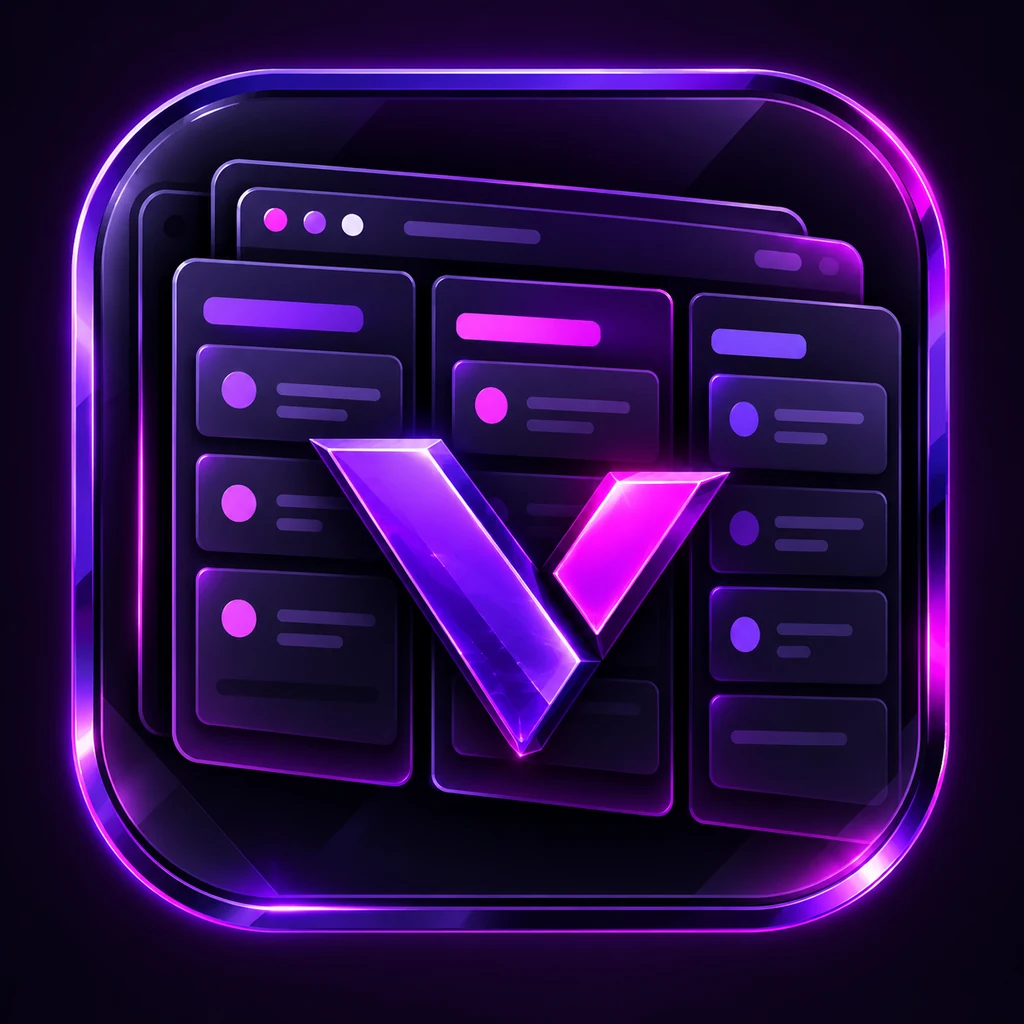
VCORE Board was built for small collaborative teams that need more structure than chat alone provides. Projects, tasks, comments, conversations, notifications and workspace access live together in one persistent desktop environment.
Board deliberately does not include AI functionality or time tracking.
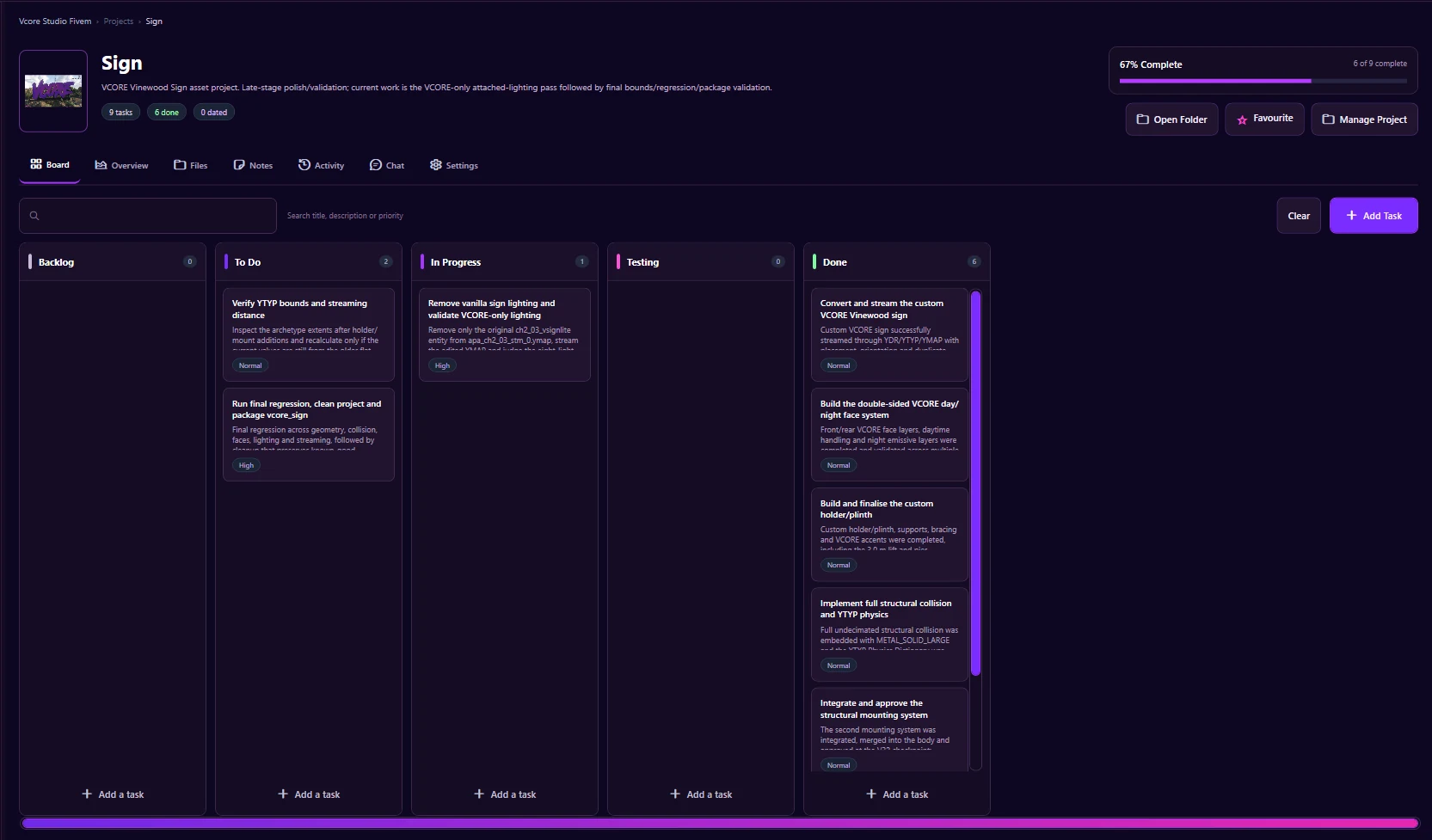
Everything below is present in the tested Beta build. Planned work is not presented as a shipped feature.
Organise personal and shared workspaces into separate projects with persistent navigation and layout behaviour.
Project boards, My Tasks, statuses, priorities, checklists, comments, attachments and task metadata stay together.
Workspace chat, project chat, task comments and direct messages reduce the need to split collaboration across separate apps.
Members, invites and invite-code controls support roles, expiry, maximum uses and revocation.
Application notifications sit alongside the wider workspace and task workflow.
A fast command palette provides quick access to tasks, notifications, direct messages, favourites and archive areas.
Session, settings, navigation and layout preferences are designed to survive closing and reopening the application.
The Beta includes the approved dark VCORE Board visual system and interface customisation.
These are screenshots from the current tested Windows Beta, not generated product mockups.
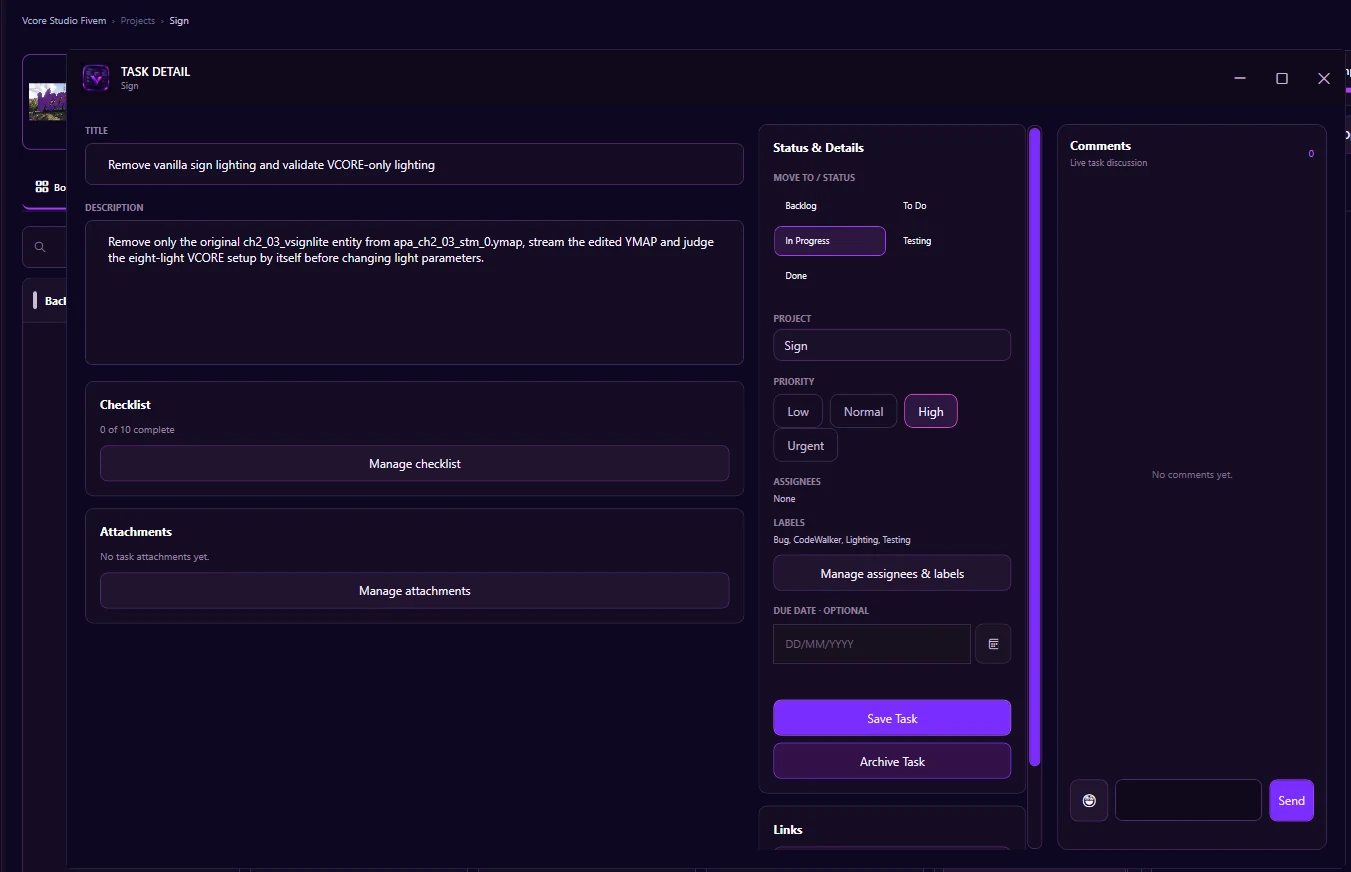
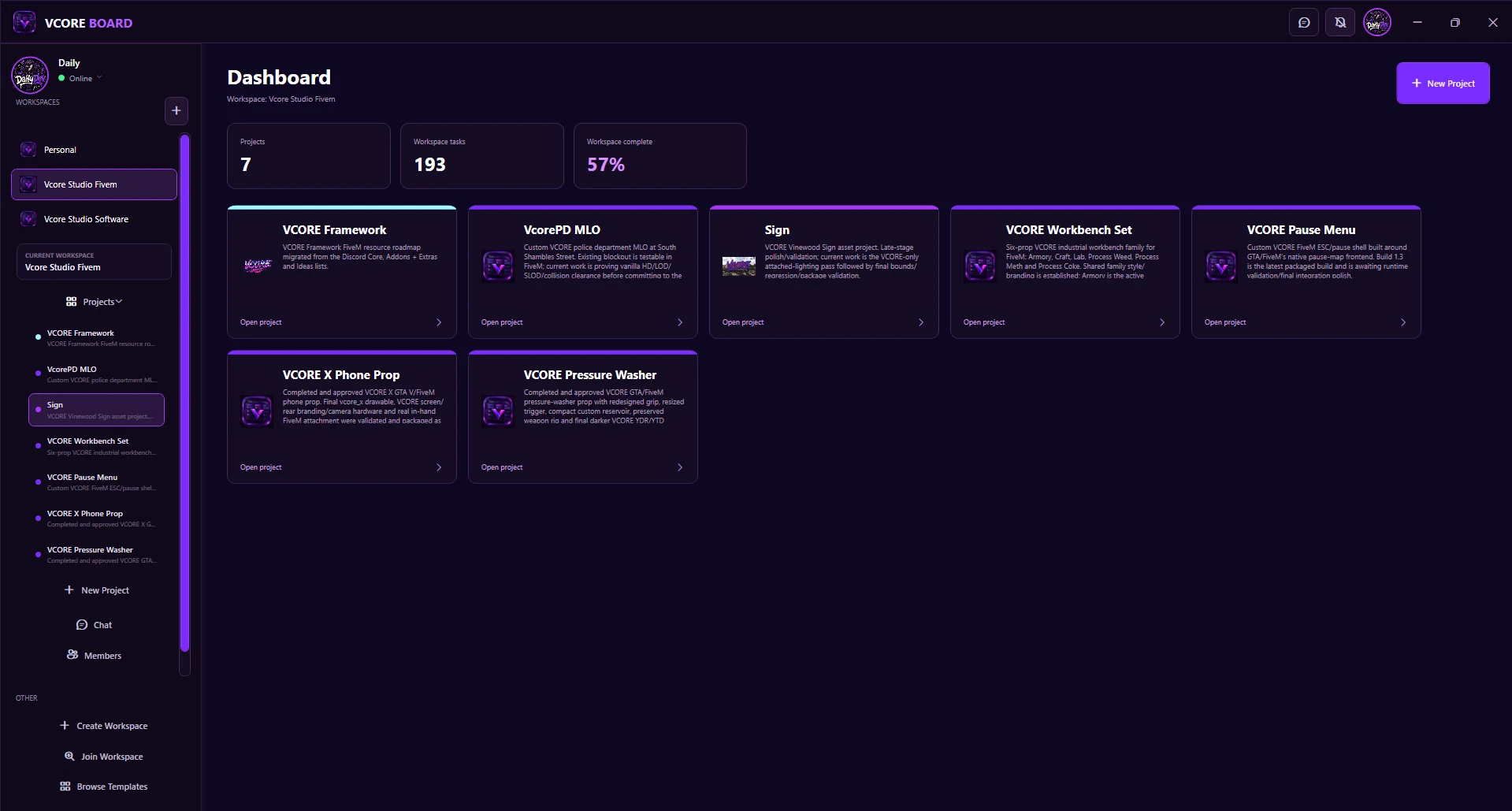
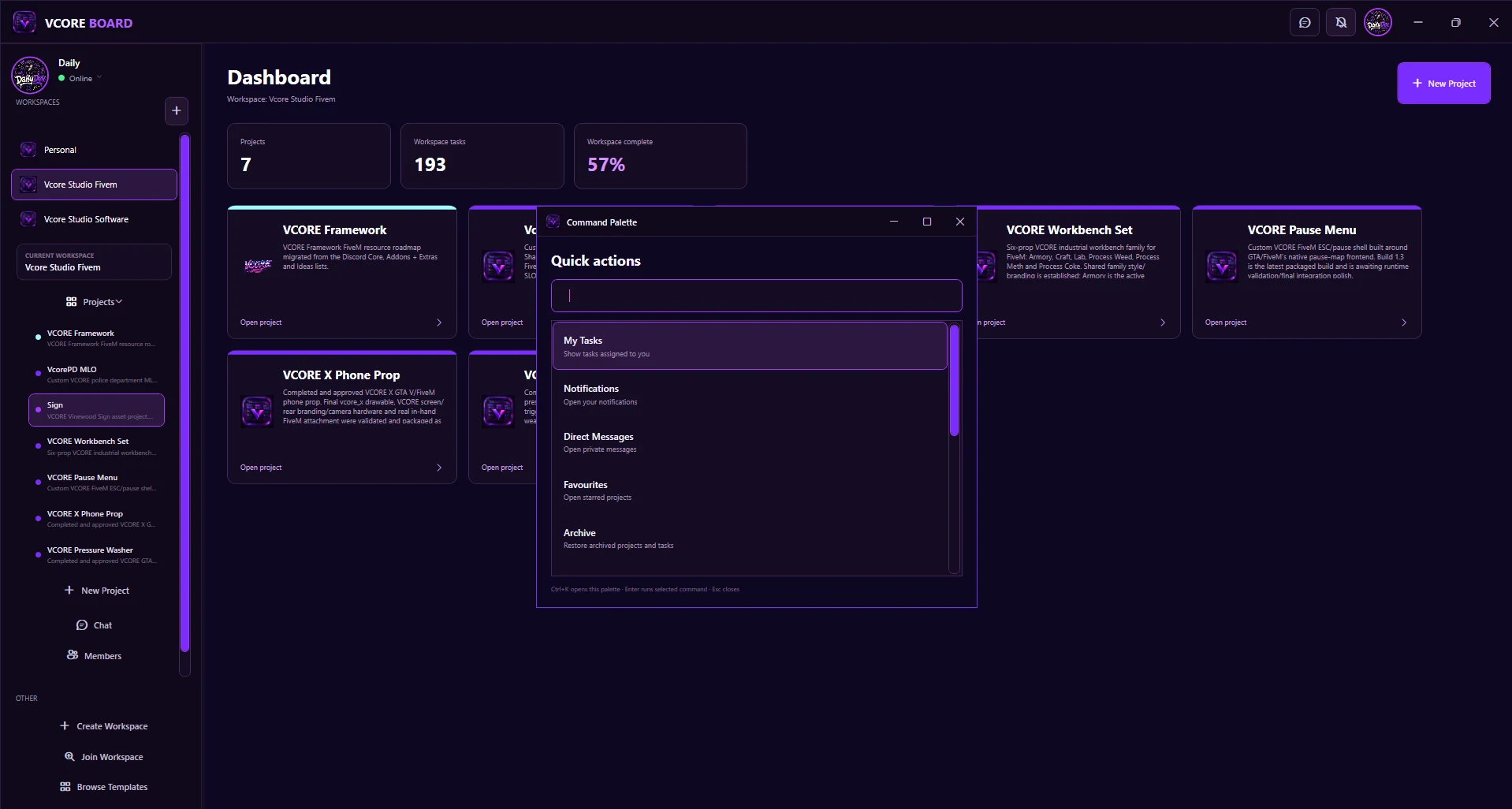
Windows x64 portable Beta. The application is self-contained, so a separate .NET installation is not required.
The Beta package is verified and ready; public download hosting is the final step.
6A1EF667E0BA35CFC1A0CC9F38C96420EE8EB7645807345F1743A02F521B349BVCORE-Board-Beta-1-Portable.exe.No extraction, traditional installer or separate .NET runtime is required.
https://board.vcorestudio.devFormal CPU, RAM, GPU and minimum Windows-version requirements have not yet been established.
Client settings are stored under %LOCALAPPDATA%\VCORE\Board\. Collaborative workspace, project, task, chat and account data connects to the live VCORE Board service.
No formal public claim about analytics, telemetry or crash reporting is made until the product's source-level privacy audit is complete.
The tested portable includes accounts, workspaces, projects, task management, My Tasks, comments, chat, direct messages, notifications, dashboard, archive/favourites, workspace access controls, Ctrl+K navigation, themes and persistent settings.
VCORE Board Beta is provided free for testing. © 2026 VCORE Studio. All rights reserved. Redistribution, repackaging or resale is not permitted without permission from VCORE Studio. Beta software is provided as-is and may contain bugs or incomplete features.